
Introduction: The Hidden Challenge of Every Startup
In the fast-paced digital economy of 2026, the success of any B2B company, digital marketing agency, or real estate firm depends on one thing: High-quality leads. Without a steady flow of fresh prospect data, even the best products remain unsold.
Traditionally, businesses spent thousands of dollars on database providers or wasted hundreds of hours on manual data entry. However, the game has changed. Today, the most accurate and up-to-date business directory in the world is right at our fingertips—Google Maps. But how do you turn millions of map listings into a usable spreadsheet? This is where a Google Maps leads extractor becomes your most powerful sales asset.
The Story Behind TheSoftCo: From Manual Hunting to Automation
When I initially launched TheSoftCo, it was a platform providing digital services to clients worldwide. Like many founders, I faced one massive, soul-crushing challenge: how to consistently generate leads and clients.
I spent days watching YouTube videos, asking AI for advice, and reading endless blogs. I tried everything to find a way to reach local and international businesses. Finally, I discovered that Google Maps was the ultimate goldmine for B2B data.
The Car Workshop Experiment
I started manually hunting for leads. My first target was local Car Workshop Owners. Every day, I would search on Google Maps, click on individual businesses, and copy their phone numbers and addresses into a notepad.
At first, it felt productive. But soon, reality hit. It was incredibly boring, exhausting, and took hours just to find 10-20 potential clients. I kept thinking: "There has to be a better way. I wish I had a software that could export all this data into Excel in one click."
The Search for a Solution
I began searching for a maps leads scraper. I found some big names in the industry like:
- Outscraper (Great features but premium pricing)
- PhantomBuster (Powerful but complex for beginners)
- LeadRocks (Effective but expensive for a startup budget)
The issue was simple: Most of these tools were paid. For a startup or a struggling freelancer, paying $50 or $100 every month just for data isn't always budget-friendly.
Our Mission: A Gift to the Community
I realized thousands of people—startups, freelancers, and small business owners—were going through the same struggle. That is why we decided to build our own. We introduced TheSoftCo Leads Engine, and the best part? We made it 100% Free. Because we have lived through the struggle of manual lead hunting, we wanted to ensure no one else had to.
What is a Google Maps Leads Scraper?
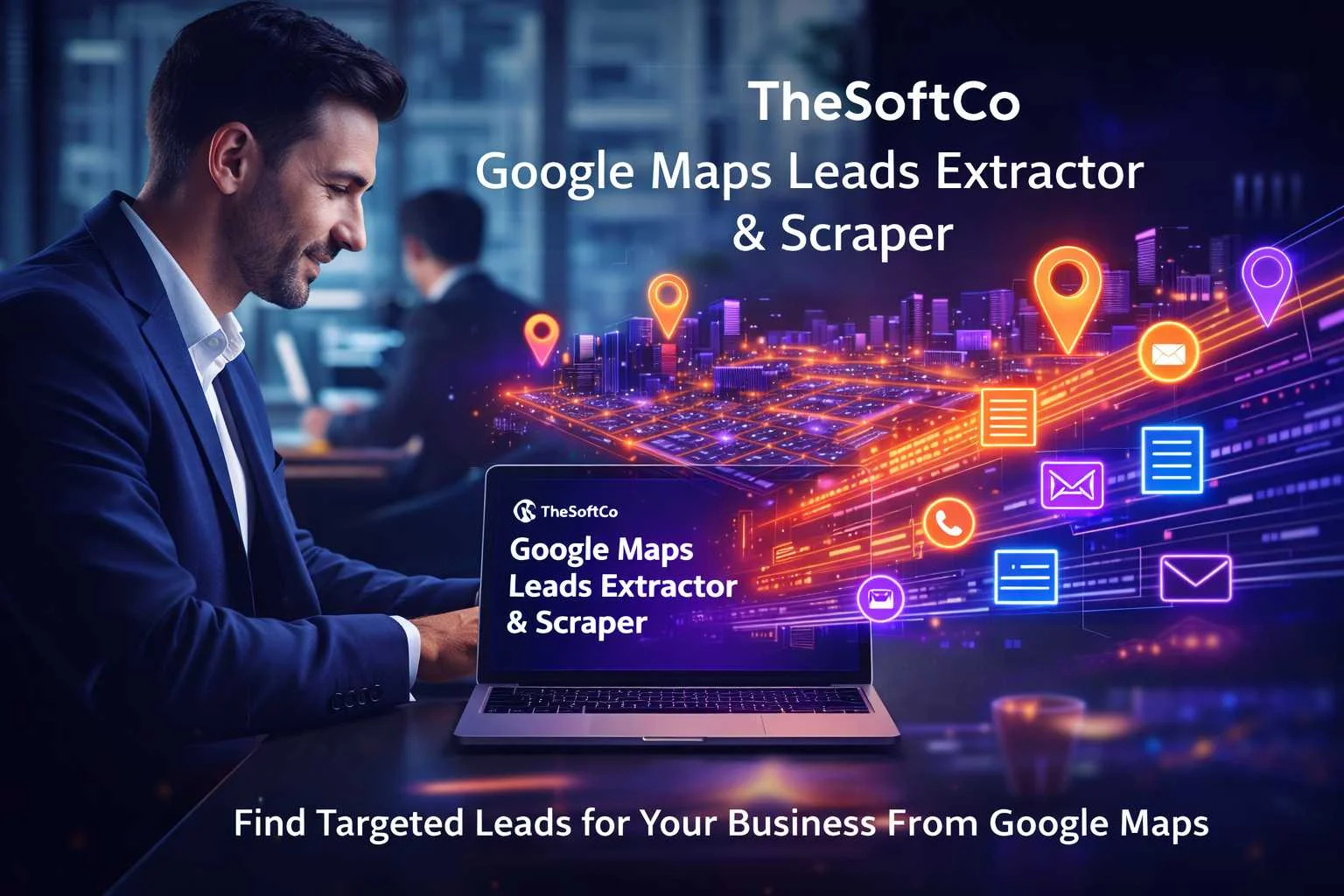
A Google Maps leads scraper is an automated tool designed to crawl through Google Maps search results and extract public business information. Instead of clicking on every single listing to find a phone number or website, the scraper does the heavy lifting for you, providing a clean list of potential clients in seconds.
The Power of "TheSoftCo" Google Maps Leads Generator
Our tool, is built for speed and accuracy. Whether you are looking for "Digital Marketing Agencies in London" or "Real Estate Offices in Dubai," our scraper helps you generate leads from Google Maps without any technical complexity.
Why You Should Extract Google Maps Data in Bulk
If you are still copying and pasting phone numbers one by one, you are losing money every minute. Here is why how to extract Google Maps data in bulk is the most searched query for successful marketers in 2026:
- Scalability: Move from 10 leads a day to 10,000 leads in minutes.
- Accuracy: Google Maps is updated in real-time by business owners. Unlike static databases, the data is fresh.
- Local Targeting: You can filter businesses by specific neighborhoods, zip codes, or niche categories.
- Cost-Efficiency: Why pay for premium LinkedIn accounts when you can get direct contact details for free?
How to Extract Google Maps Data in Bulk: A Step-by-Step Guide
Extracting data shouldn't be hard. Here is how you can use TheSoftCo tool to build your first high-ticket client list:
Step 1: Identify Your Niche and Location
Before you start the map leads extractor, you need a target. For example: “Dentists in New York” or “Plumbers in London.”
Step 2: Input Your Search Query
Go to the TheSoftCo Google Maps Leads Extractor interface. Enter your keyword and city name into the search bar.
Step 3: Run the Extraction
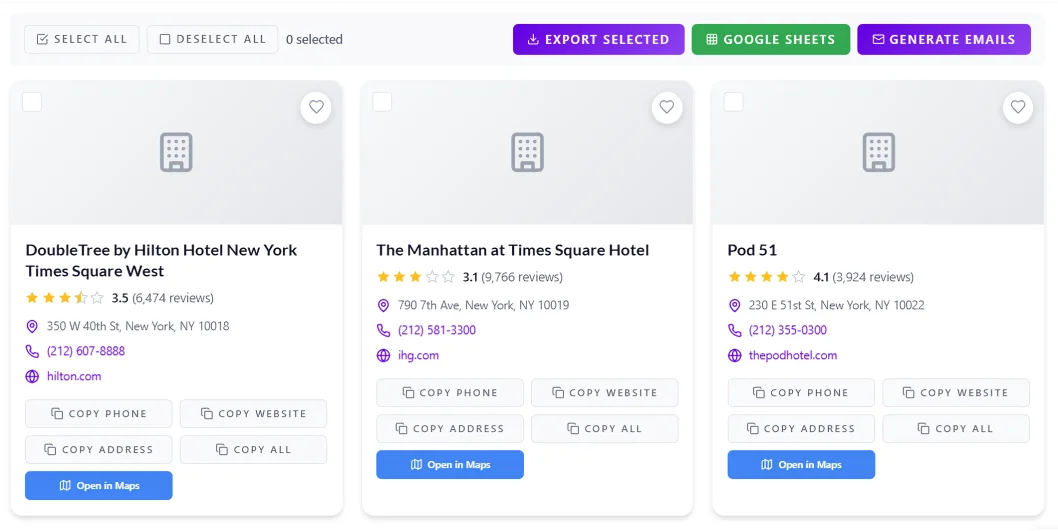
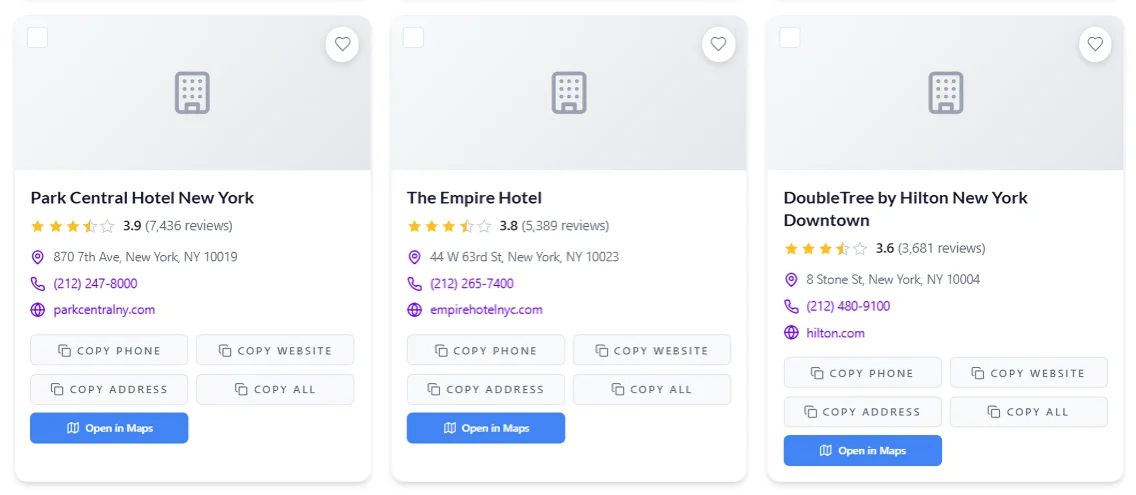
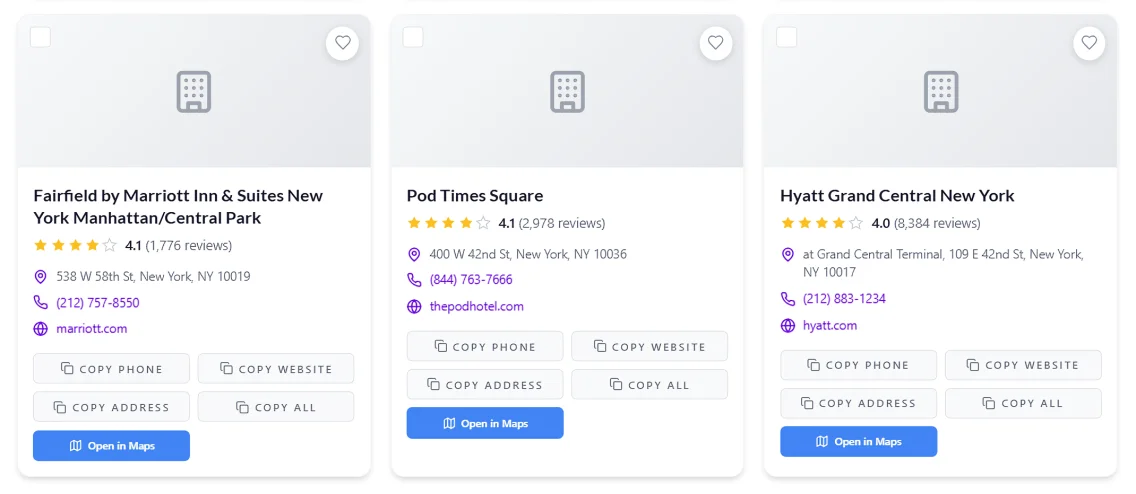
Click the "Search" button. Our system will communicate with the maps directory to pull names, phone numbers, ratings, addresses, and website URLs. Here is the Example Screenshot of Search: "hotels in New York"
Step 4: Download and Organize
Once the process is complete, you can copy the data into an Excel sheet or CSV file for your cold calling or email marketing campaigns.
Key Features of a High-Quality Maps Leads Scraper
Not all scrapers are created equal. To ensure you are getting the best ROI, your tool must have:
- High-Speed Processing: Time is money, and our tool is optimized for 2026 speeds.
- No Software Installation: Browser-based tools are safer and faster than downloading shady .exe files.
- Semantic Search Capability: The ability to understand related business categories.
- Clean Data Output: No messy characters or broken links—just usable leads.
5 High-Conversion Strategies Using Extracted Leads
Once you have used our tool to get the data, what’s next? Here is how to turn those rows of data into revenue:
- The "Google Maps SEO" Pitch: Find businesses with low ratings or no photos. Offer to fix their local SEO to bring them more customers.
- Cold Calling for B2B Services: If you sell software or freelancing services, a direct phone number is a goldmine.
- Hyper-Local Facebook Ads: Use business addresses to create laser-targeted local ad campaigns.
- Direct Mail Marketing: Send physical flyers to extracted addresses—it has a 5x higher response rate than email in 2026.
- Website Optimization: If a lead's website is slow or not mobile-friendly, reach out with a redesign offer.
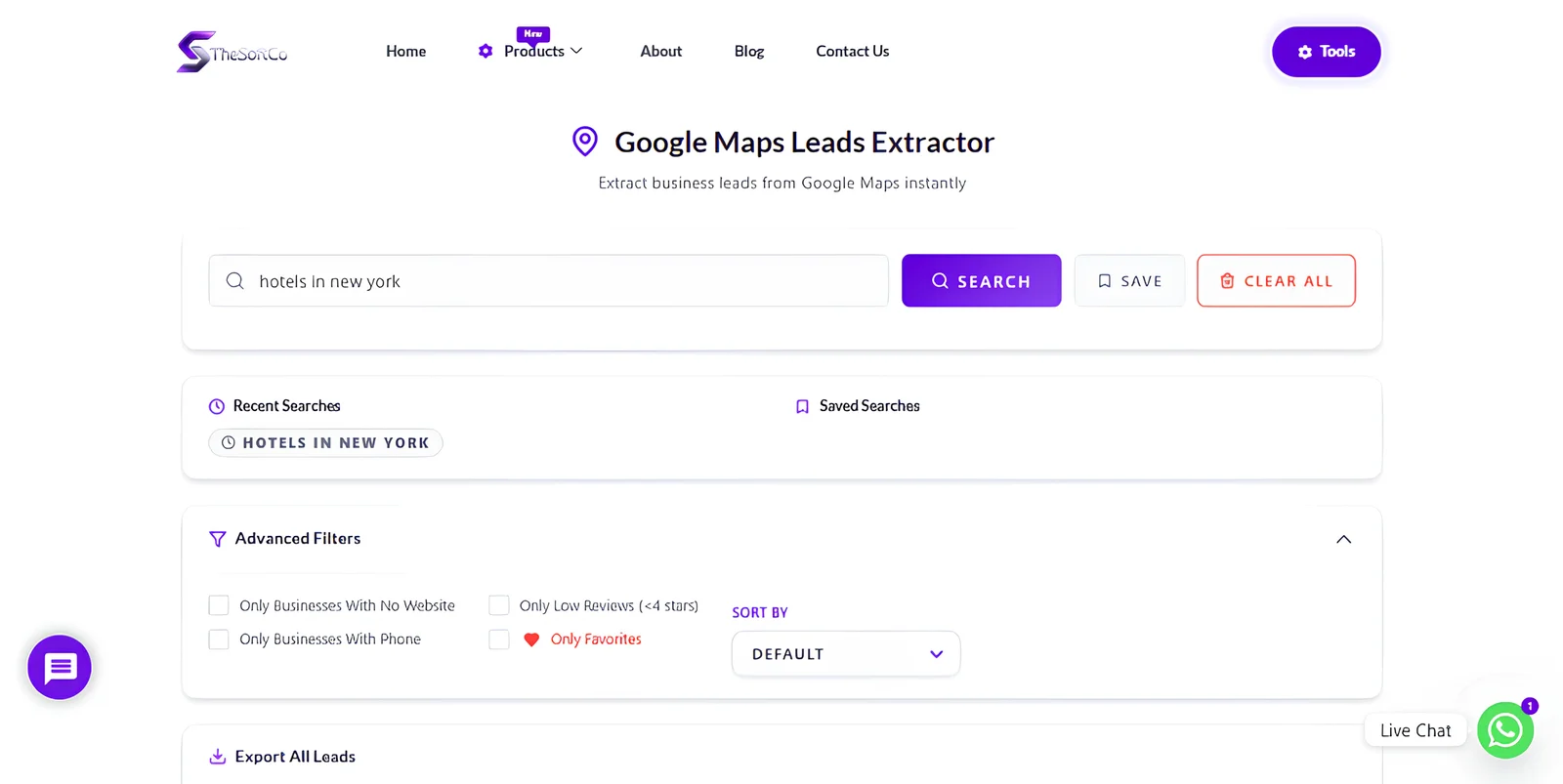
- Best Feature for Developers: In Advance Filters We've built a filter of Only Businesses with No Website, Helps Developers to find Business Without Website & Extract That Data in Google Sheets in just One Click!
Is Scraping Google Maps Legal?
A common question is: “Is using a maps leads scraper legal?” The answer is 'yes', as long as you are extracting publicly available information. Google Maps listings are public records. However, always ensure you comply with local regulations like GDPR or CAN-SPAM.
Want To Learn in Detail? All Features? All Settings? Learn More:
- Article - Complete Guide - All Features Covered
- YouTube Video Tutorial (Eng)
Conclusion: Take Action Today
The difference between a struggling freelancer and a successful agency is the system they use. By implementing a maps leads extractor into your daily workflow, you remove the "guessing game" from your sales process.
Don't wait for clients to find you. Use TheSoftCo Google Maps Leads Scraper to find them first.
Common FAQs
With TheSoftCo, our goal is to empower small businesses. You can use our G Maps leads Extractor for your daily lead needs without restrictive hidden costs.
Yes! From the USA to Pakistan, our extractor works globally across all Google Maps-supported regions.
TheSoftCo Google Maps Leads Extractor provides you with the business name, Phone Number, Full Address, Website URL, Rating, and Business Category.
Join the Conversation
Share your perspective, ask thoughtful questions, or leave constructive feedback about this article.