

The Digital Dilemma: Why Alex Needed a Bulk Image Converter
Alex is a visionary. As the founder of alextech.dev (Temporary – for just a story), he spent months building a platform that provides top-tier tech tutorials. In the competitive world of 2026, he recognized that high-quality visuals were crucial to user engagement. To prepare for a massive “Tech Month” launch, Alex curated a collection of over 150+ high-resolution PNG images. These weren’t just random pictures; they were detailed infographics and screenshots designed to help his readers.
However, after a week of consistent posting, Alex noticed something alarming. His Google Search Console was showing a massive spike in “Core Web Vitals” issues. His website, which he expected to soar, was struggling to load on mobile devices. Alex quickly realized that how image size affects your website’s bounce rate is not just a theory—it was a reality that was killing his traffic.
He had a huge task ahead. He had to optimize every single image without losing quality. He had heard about a modern format that could save him, but he didn’t realize how difficult the journey of “bulk conversion” would be in a world full of “freemium” traps.
Chapter 1: The Performance Nightmare at alextech.dev
Alex sat in front of his dual-monitor setup, staring at a 15% performance score on PageSpeed Insights. The culprit was clear: “Serve images in next-gen formats.” His 150+ PNG images were beautiful, but they were massive. Each image was approximately 2MB to 5 MB in size. When a user landed on a page with five of these images, their browser had to download 20MB of data just to show one article.
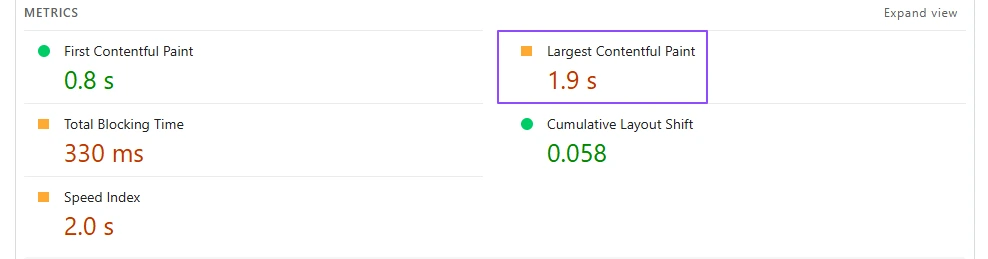
This led to a high “Largest Contentful Paint” (LCP) time (1.9s approximately). Users were leaving his site before the text even appeared. Alex knew he had to act fast. He started researching and stumbled upon the secret history of WebP. He discovered that WebP was developed to provide superior lossless and lossy compression for images on the web.
The problem was simple: Alex had 150+ images already planned and some already uploaded. Converting them one by one in Photoshop or a basic online editor would take him days. He needed a solution that could handle a massive workload in a single click.
Chapter 2: The Frustrating World of “Limited” Converters
Like any smart developer, Alex turned to Google. He searched for “Bulk PNG to WebP converter free.” He found dozens of websites promising “Unlimited conversion.” But as he started using them, the reality was much darker.
The first tool he tried allowed only 5 images at a time. After the 5th image, a giant “Upgrade to Pro” button appeared, asking for $15 a month. The second tool had a “Daily Limit” of 10 images. Alex was frustrated. He had 150 images. At a rate of 10 images per day, it would take him 15 days just to optimize one month’s worth of content.
Moreover, these websites were cluttered with intrusive ads. Some even required him to create an account, verify his email, and share his personal data. For a startup founder, time is money. Spending 2 hours to convert only 50 images across three different websites was a nightmare. He began to wonder if there was a tool that respected a creator’s time and privacy.
Chapter 3: Data Privacy and the Hidden Costs of Free Tools
While searching, Alex also became concerned about security. Many of the “Free” converters he found were hosted on shady domains. As a tech expert, he knew that uploading his original graphics to unknown servers could be risky. What if they were storing his data? What if they were selling his infographics to stock photo sites?
He also noticed that many tools didn’t offer a “Download All” feature. He had to click “Download” for every single image. Imagine clicking a button 150 times—it’s not just boring; it’s a recipe for Carpal Tunnel Syndrome! Alex needed a professional-grade tool that offered a Zip format download to keep things organized. He realized that the “Free” tools weren’t actually free; they were charging him with his time, his data, and his sanity.
Chapter 4: Discovering TheSoftCo Solution
Just as Alex was about to give up and reach for his credit card to pay for a premium subscription, he found TheSoftCo PNG to WebP Converter. At first, he was skeptical. The site claimed “100% Free,” “No Limits,” and “Batch Processing.”
He decided to give it a try. The interface was clean, with no annoying pop-ups and, most importantly, no “Sign Up” button. It was built for people who just want to get the job done.
TheSoftCo’s tool wasn’t just another converter; it was a productivity engine. It promised 1-click conversion for 100+ images. Alex felt a sense of relief. He could finally finish his “Tech Month” preparations without spending a fortune or wasting his week.
Chapter 5: The Step-by-Step Guide to Bulk Conversion
If you are like Alex and have a folder full of PNGs, here is the exact process he followed using TheSoftCo’s tool. It is designed to be the simplest workflow on the internet.
1. Preparing Your Batch
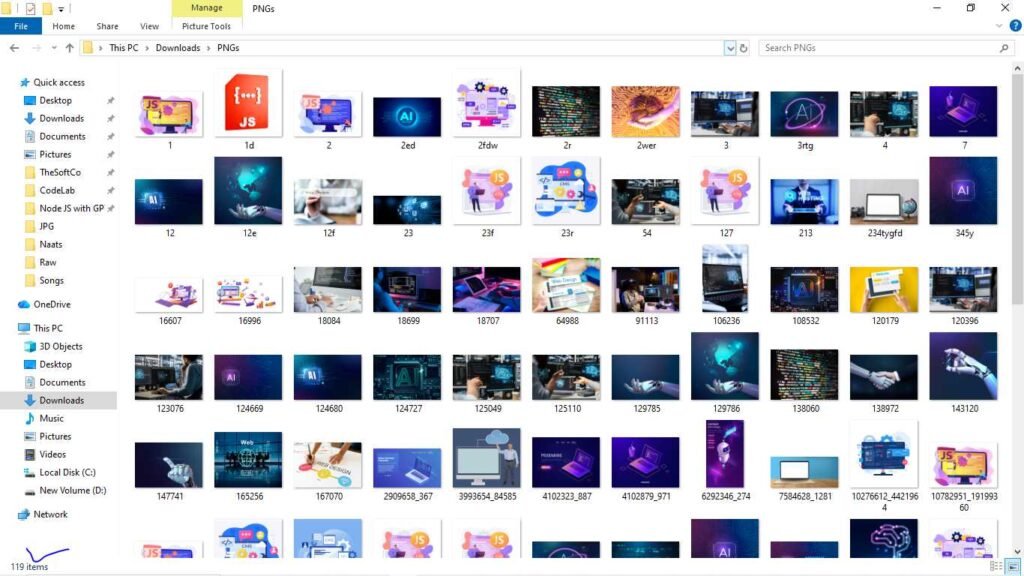
First, collect all your images into one folder on your computer. Whether you have 10, 50, or 150+ images, TheSoftCo can handle them. Alex organized his images by article title to make sure he didn’t miss anything.
2. The Upload Process (Drag & Drop)
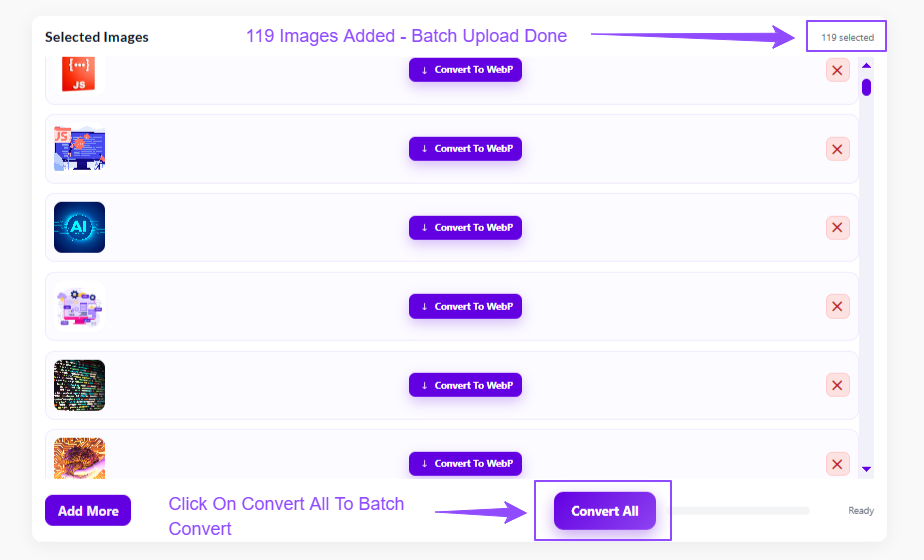
TheSoftCo offers two ways to add your files. You can click the “Add Images” button to browse your file explorer. Or, even better, you can use the “Drag & Drop” feature. Alex simply highlighted all 150 images in his folder and dragged them into the browser window. Within seconds, all the thumbnails were lined up and ready for processing.
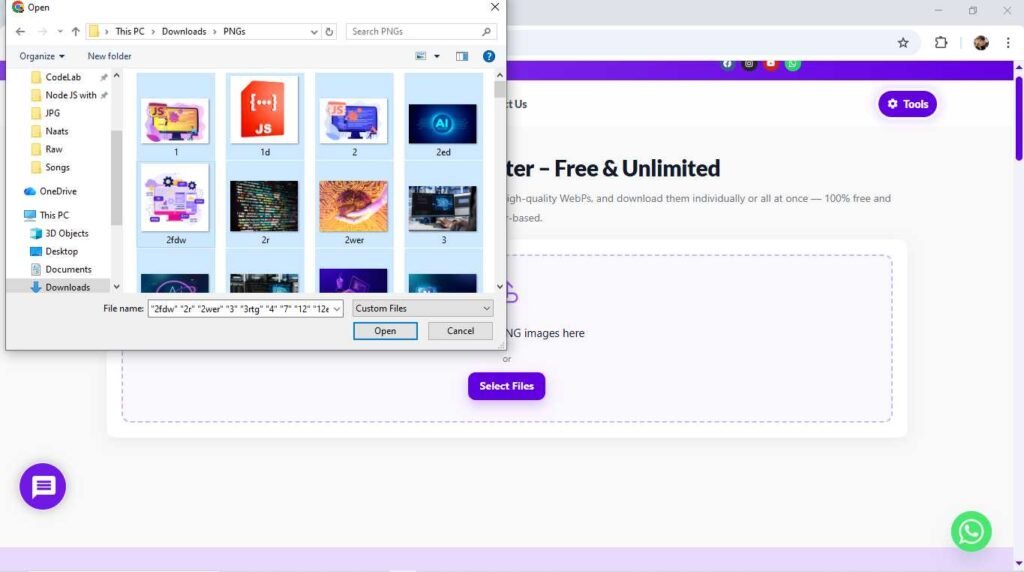
Note: We’re Using Browser Base Processing, try to upload images according to your browser’s performance or compress images uing TheSoftCo Image Compressor!
3. One-Click Conversion
This is where the magic happens. Instead of converting each image individually, there is a prominent “Convert All” button. When Alex clicked it, the tool’s engine started processing the images in parallel. Unlike other tools that freeze your browser, this was smooth and “lightning-fast.”
4. The Zip Format Download
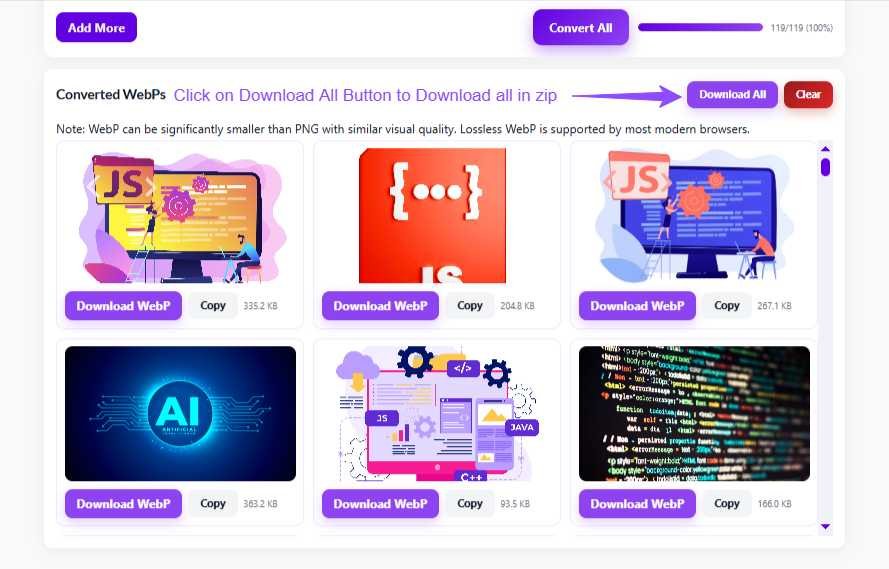
Once the progress bars reached 100%, Alex didn’t have to download them one by one. He clicked “Download All” and the tool instantly generated a Zip file containing every single converted WebP image. This kept his file names intact and his organization perfect.
Chapter 6: Why WebP is the Future of SEO in 2026
Alex noticed the results immediately. His 5MB PNGs were now 400KB WebP files. The quality was indistinguishable to the human eye. This is the power of “Smart Compression.” By switching to WebP, Alex was following the best practices used by top-tier SEO experts.
In the world of lead generation, especially when using the Ultimate Guide to Google Maps Leads Extraction, speed is your greatest asset. If your landing page takes more than 3 seconds to load, you lose the lead. Alex understood that image optimization was the foundation of his digital marketing funnel.
His website, alextech.dev, was now passing all Core Web Vitals tests. His mobile traffic started to grow because the site was finally accessible to users on slower 4G and 5G connections. The “Blocking Time” disappeared, and his “Time to Interactive” (TTI) was now under 1.2 seconds.
Chapter 7: Maximizing Performance with Image Compression
After converting to WebP, Alex sees the internal link to TheSoftCo’s image compressor tool. He realized that while the format was efficient, some of his images were still larger than necessary because of their dimensions. He used TheSoftCo’s Image Compressor to fine-tune the file sizes even further.
This “Double-Optimization” strategy—converting to WebP and then applying light compression—is the secret sauce of high-ranking websites. It ensures that you are providing the best possible user experience while keeping your hosting costs low. For a startup like Alex’s, saving on bandwidth costs was an unexpected but welcome bonus.
Conclusion: Take Control of Your Website Speed Today
Alex’s story is a lesson for every content creator. You don’t need expensive software or monthly subscriptions to have a fast website. All you need is the right set of tools and a workflow that respects your time.
By using TheSoftCo PNG to WebP Converter, Alex saved over 10 hours of manual work and avoided the frustration of daily limits. He was able to focus on what he does best: writing amazing tech content and growing his brand. His 150+ images were converted, downloaded, and uploaded to his site in less than 15 minutes.
If you are struggling with slow load times or hit a wall with other “Free” converters, give TheSoftCo a try. It’s 100% free, has no limits, and is designed for creators who value their time.
Frequently Asked Questions (FAQ)
No! Unlike other tools, TheSoftCo allows you to bulk convert 100+ images in a single session without any daily or monthly restrictions. Our Tools Are Browser based; add images according to your browser’s performance.
WebP offers superior compression. While it is a “lossy” format, the difference in quality is usually invisible to the human eye, while the file size reduction is massive.
Absolutely not. We value your privacy. Just upload, convert, and download—no email or account required.
Yes! If you ever need the original format back, you can use our WebP To PNG Converter tool. It’s Free to use!