
If you've ever built a prospect list by hand, you know the drill: open Google Maps, search a niche and a city, click into each listing one by one, copy the name, phone number, website, and rating into a spreadsheet, and then repeat—fifty, a hundred, or two hundred times.
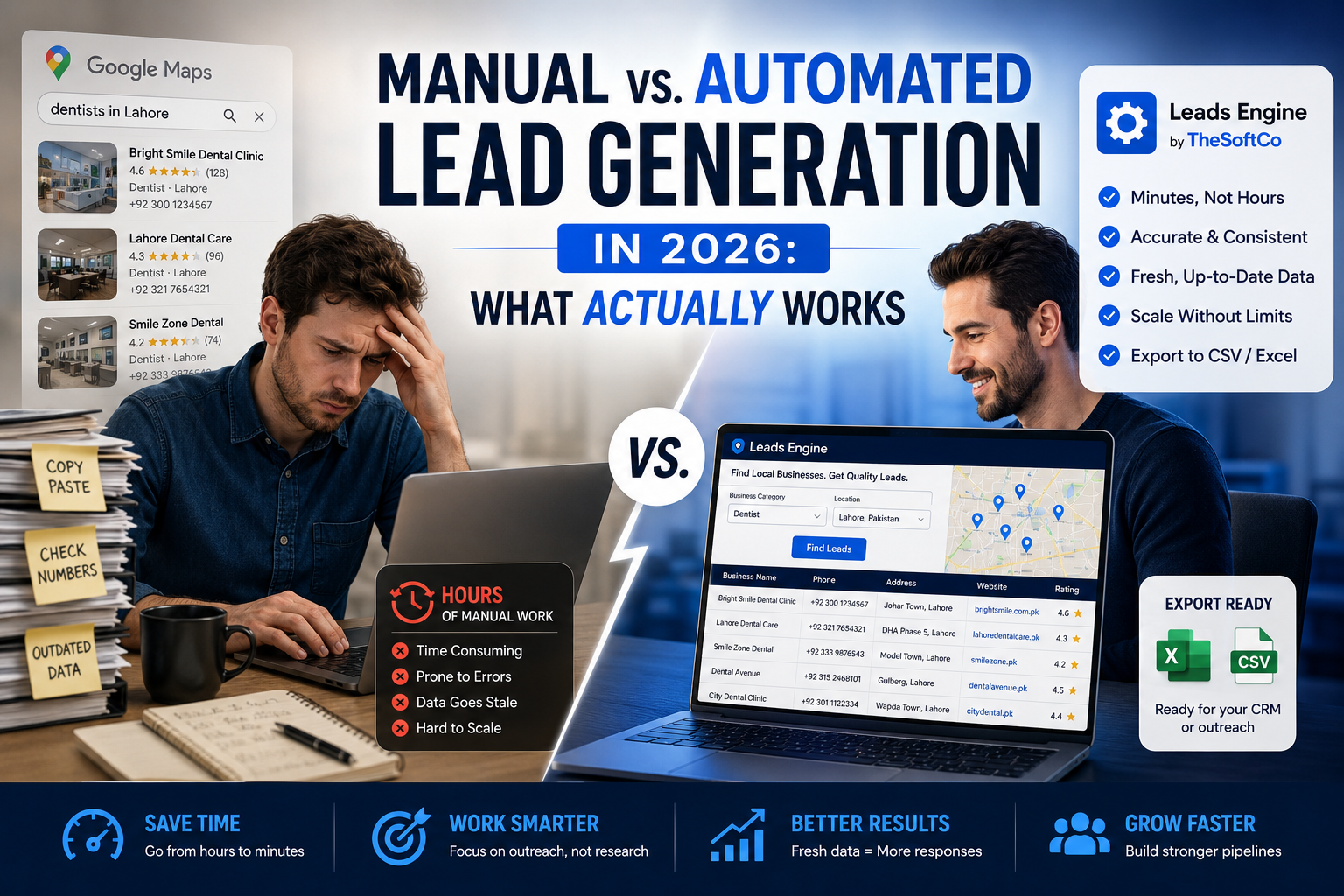
It works. It's also one of the slowest, most repetitive parts of running an agency, a freelance outreach business, or a local sales team. And by the time your list is finished, some of those numbers are already disconnected and some of those "leads" closed down last year.
In 2026, most teams are choosing between two approaches: doing this research manually or using a tool built specifically to automate it. Here's an honest look at both—and where a tool like TheSoftCo Leads Engine fits in.
The Real Cost of Manual Lead Research
Manual prospecting isn't free just because it doesn't cost money upfront. It costs time, and time is the one resource you can't buy back.
A typical manual search for one niche in one city—say, "dentists in Lahore"—usually involves:
-
Scrolling and clicking through dozens of Google Maps listings one at a time
-
Manually copying business name, phone, address, website, and rating into a spreadsheet
-
Cross-checking which numbers or websites are even still active
-
Repeating the entire process for every new city or niche you target
Depending on how many results you need and how much detail you're capturing, this routinely eats up several hours per list — hours that don't scale. Double your target market, and you roughly double the manual hours, with no improvement in accuracy along the way. Contact details also go stale fast: businesses close, change numbers, or update websites, so a list built manually today can already be partly outdated by the time you start outreach.
How An Automated Tool Makes A Difference
-
An automated lead scraping solution does the same query – searching by niche and area, pulling public business information – but does so in a fraction of the time and with uniform formatting.
For example, the workflow with Leads Engine is as follows:
-
Enter Business Category and Location
-
Have the software grab matching listings (name, phone, address, website, rating, and more
-
Export to Excel or CSV, ready for your CRM or outreach
The practical difference appears in three places:
-
Speed – Things that take hours to do by hand now take minutes. That’s because the tool queries and arranges the data automatically, rather than manual copy-paste.
-
Consistency – All records are formatted the same way so there’s no cleanup pass before you can start outreach.
Coverage – You can get hundreds of listings across various cities or specializations in a single session, rather than being limited by how long you’re willing to sit and scroll.
Why Lead Generation Looks Different in 2026
-
Buyers do their homework before anyone talks to them. Generic, obsolete contact lists are rejected faster than ever – it’s all about accuracy, not just volume.
-
Outreach tools have gotten smarter, but the data feeding them hasn't always kept up. The best CRM or email sequence still fails if the leads behind it are wrong or stale.
-
Speed to first contact matters. Local businesses that just opened, updated their listings, or picked up new reviews are often the most responsive—but only if you find them quickly.
This is why the manual-vs-automated question isn't really about laziness. It's about whether your data can keep pace with how fast the market moves.
Lead Generation Strategies by Use Case
For Agencies
If you're pitching local businesses, build niche-and-city lists ahead of outreach campaigns rather than researching on the fly. Pull fresh lists monthly so your pipeline isn't running on six-month-old contact data, and segment by rating or review count to prioritize businesses that are active and growing.
For Freelancers
Your time is your biggest cost. Instead of spreading research across many niches, pick two or three you genuinely understand, build a tight, accurate list for each, and Personalize outreach around specifics—recent reviews, missing website features, weak online presence—that only show up when your data is current.
For Local Business Owners
Lead generation isn't only for outbound sales — it's also competitive research. Pulling a list of every competitor in your category and city gives you a fast read on pricing, positioning, and gaps you can fill.
Where Leads Engine Fits In
None of the strategies above matter if the data behind them is slow to gather or already out of date. That's the specific problem Leads Engine is built to solve: search by category and location; pull structured business data—name, phone, address, website, rating, and export straight to CSV or Excel without the manual copy-paste.
It won't write your outreach message or close the deal. What it does is remove the slowest, most repetitive step so you can spend your time on the parts of the process that actually need a human — the pitch, the follow-up, the relationship.
Frequently Asked Questions
Is manual lead research still worth it in 2026? Manual research is still workable for very small, highly targeted lists that consist of just a handful of leads in one niche. However, as you start building lists at any real scale, the time cost usually outweighs the savings.
Is extracting public business data from Google Maps legal? Generally, collecting publicly available business information — the kind already visible to anyone browsing Google Maps — for legitimate outreach is standard practice. Always respect applicable data protection and anti-spam laws for the region you’re targeting.
Leads Engine Pricing Prices and restrictions are subject to change. See the Leads Engine page for current price and free-tier information.
What's the difference between this and TheSoftCo's other lead tools? See our step-by-step Leads Extractor tutorial and Google Maps leads extraction guide for a closer look at using the tool itself.
Join the Conversation
Share your perspective, ask thoughtful questions, or leave constructive feedback about this article.